

Description
Download Go Fucking Work – free rude motivational browser extension
Overview
In a world where endless scrolls on social media bleed precious minutes from our work‑day, a blunt‑spoken ally can make the difference between procrastination and productivity. Go Fucking Work is a free, tongue‑in‑cheek browser extension that tackles distraction head‑on with unapologetically rude messages. Whenever you attempt to navigate to a site you’ve marked as a time‑waster—think Facebook, Twitter, Reddit, or any other blacklisted domain—the extension flashes a stark, black‑and‑white profanity‑laden reminder such as “Work you fucking failure” or “Get back to fucking work.” The premise is simple: a shock of profanity can cut through the mental fog that lets us linger on idle pages. Unlike conventional productivity tools that offer gentle nudges, ambient sounds, or complex task‑management interfaces, Go Fucking Work relies on raw, direct language to yank you out of a rabbit hole. The extension is fully customizable; you define your own blacklist, choose how often the messages rotate, and even set a “snooze” period if a break is genuinely needed. While the concept is wrapped in humor, many chronic procrastinators report a measurable boost in focus after installing the tool. Its minimalistic design means it consumes virtually no system resources, and because it runs locally in your browser, there are no hidden fees or data‑collection concerns. Whether you’re a student battling the lure of TikTok or a remote professional fighting the temptation of endless news feeds, Go Fucking Work offers a no‑nonsense, free solution that turns profanity into productivity. In short, this extension is a digital punch‑in‑the‑face for your own lazy habits, delivering a quick, visceral reminder that the only thing standing between you and your goals is the willingness to hear the truth—no sugar‑coating, just raw motivation.
Core Features & How They Boost Productivity
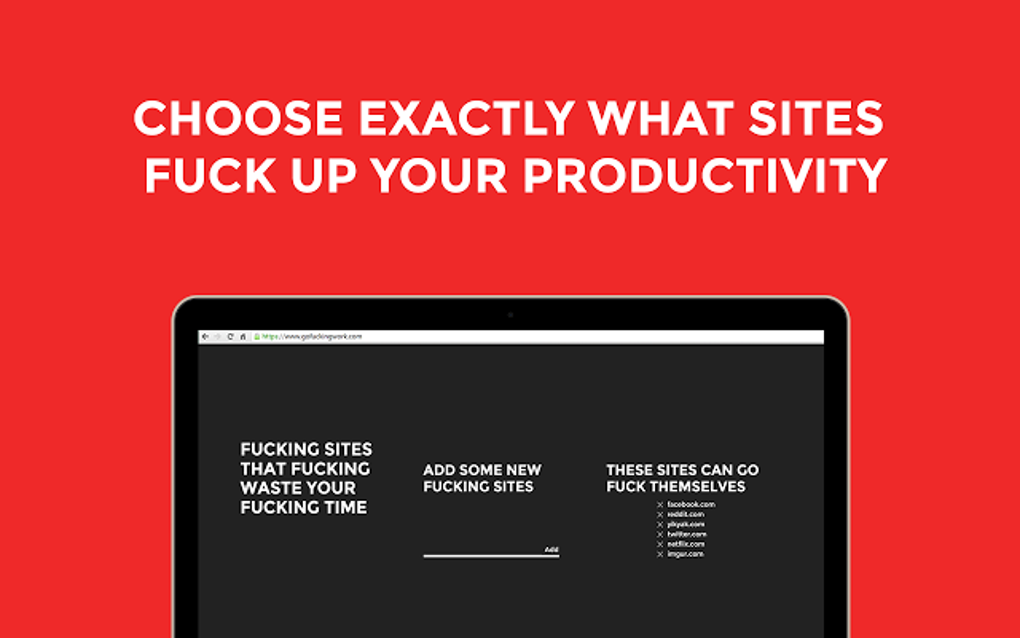
- Custom Blacklist – Add any URL or domain you consider a distraction; the extension monitors your navigation attempts in real time.
- Rotating Rude Messages – A library of profanity‑laden prompts that change each time you trigger the block, keeping the shock factor fresh.
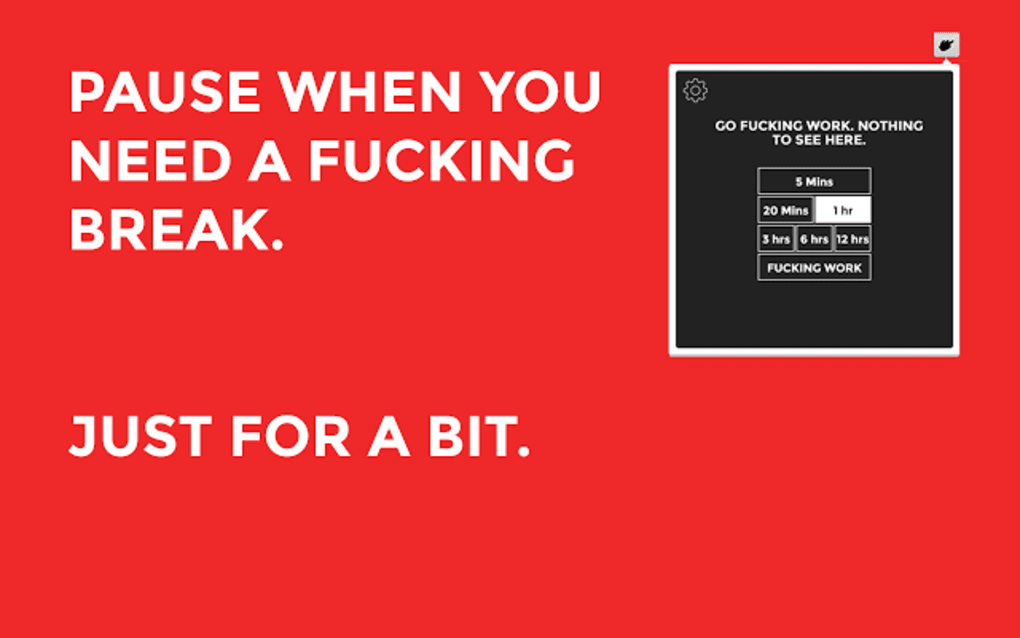
- Snooze/Break Mode – Temporarily hide messages for a user‑defined period when a genuine break is needed, preventing burnout.
- Lightweight & Fast – Built with pure JavaScript, the extension adds negligible load time and runs smoothly on any modern browser.
- Free & Open‑Source – No hidden subscription fees; the source code is publicly available for transparency and community contributions.
- Cross‑Browser Compatibility – Available for Chrome, Edge, Firefox, and Opera, ensuring you can stay productive regardless of your preferred platform.
- Simple UI – One‑click enable/disable toggle and an intuitive settings panel that requires no technical expertise.
- Privacy‑First Design – Operates entirely on the client side; no browsing data is sent to external servers.
Each of these features works together to create a frictionless barrier against digital distraction. By allowing you to pinpoint exact sites that sabotage your workflow, the custom blacklist guarantees that the extension only intervenes where you need it most. The rotating messages prevent habituation; if the same phrase appeared every time, its impact would fade quickly. Instead, the varied profanity keeps the brain alert, turning a momentary lapse into a brief, corrective jolt. The snooze option respects the reality that productive work sometimes requires short, intentional breaks. Rather than forcing you to stare at a relentless barrage of insults, you can pause the interruptions for a set time, then let the extension resume its watchful role. This balance helps avoid the resentment that can arise from overly aggressive tools. Performance matters, too. Because the extension is lightweight, it doesn’t slow down page loads or consume excess memory—crucial for power users who keep dozens of tabs open. And the open‑source nature means you can audit the code yourself, ensuring that the “free” promise is genuine and that your privacy remains intact. All these attributes combine to make Go Fucking Work a uniquely effective, no‑frills productivity catalyst.
Installation, Compatibility, and Real‑World Pros & Cons
Step‑by‑Step Installation & Usage
Getting Go Fucking Work up and running is straightforward. First, visit the official extension store for your browser—Chrome Web Store, Firefox Add‑Ons, or Microsoft Edge Add‑ons. Search for “Go Fucking Work” and click “Add to Browser.” A permission prompt will appear, requesting access to read and change data on the sites you visit; this is essential for the blacklist functionality. Accept the prompt, and the extension icon will appear next to your address bar. Click the icon to open the settings panel. Here you can:
- Enter the URLs you want to block (e.g., facebook.com, twitter.com).
- Select how many messages you’d like to rotate (default is ten).
- Set a snooze duration (e.g., 10 minutes, 30 minutes, 1 hour).
- Toggle the extension on or off with a single click.
Compatibility & System Requirements
Go Fucking Work is designed for desktop browsers on Windows 10/11, macOS 10.14+, and Linux distributions that support modern browsers. Mobile browsers are not officially supported, as the extension relies on desktop‑only APIs. The extension works with:- Google Chrome (version 85+)
- Microsoft Edge (Chromium‑based, version 85+)
- Mozilla Firefox (version 78+)
- Opera (version 71+)
Pros and Cons
- Pros
- Instant, attention‑grabbing reminders that cut through procrastination.
- Fully customizable blacklist and message rotation.
- Zero cost and open‑source, ensuring transparency.
- Lightweight; no noticeable impact on browsing speed.
- Privacy‑first: no data leaves your computer.
- Cross‑browser support for major desktop browsers.
- Cons
- Humor and profanity may not be suitable for all workplace environments.
- Lacks advanced productivity features like task tracking or Pomodoro timers.
- No mobile app or extension support.
- Relies on user discipline to maintain an effective blacklist.
- Potentially annoying for users who prefer gentler nudges.
Frequently Asked Questions
Is Go Fucking Work really free?
Yes, the extension is completely free to download and use. There are no hidden fees, subscription plans, or in‑app purchases.
Can I use the extension on a work computer?
It depends on your company’s IT policies. Because the extension displays profanity, some workplaces may consider it inappropriate. Always check with your employer before installing.
Does the extension collect any of my browsing data?
No. All processing happens locally in your browser. The blacklist and settings are stored on your device, and no data is transmitted to external servers.
Can I add my own custom messages?
Currently the extension only supports the built‑in library of messages. Future updates may introduce a custom‑message feature.
What browsers are supported?
Chrome, Edge, Firefox, and Opera on desktop platforms. Mobile browsers are not supported at this time.
Conclusion – Is Go Fucking Work Right for You?
If you’ve tried gentle nudges, ambient soundtracks, and elaborate task managers only to find yourself still scrolling mindlessly, Go Fucking Work offers a refreshingly direct alternative. Its core strength lies in its simplicity: a well‑timed, profanity‑filled reminder can shock the brain out of autopilot and steer you back to the task at hand. For students battling social media, freelancers juggling multiple client sites, or anyone who appreciates a bit of dark humor, the extension provides a free, privacy‑safe way to enforce self‑discipline. However, the same blunt language that makes it effective can also be a drawback in professional environments where decorum matters. The lack of advanced productivity tools means it works best as a supplemental “gatekeeper” rather than a full‑featured workflow manager. If you need comprehensive time‑tracking, Pomodoro timers, or collaboration features, you’ll want to pair this extension with a more robust suite. Ultimately, the decision comes down to personal preference. Do you want a polite reminder or a harsh verbal slap? Go Fucking Work chooses the latter, and for many chronic procrastinators, that’s exactly the push they need. Give it a try—download it for free, set your blacklist, and see whether a few choice swear words can finally get you back to work.
Go Fucking Work delivers exactly what its name promises—a raw, no‑holds‑barred approach to blocking distractions. The custom blacklist and rotating profanity are surprisingly effective for short‑term focus spikes. While the lack of deeper productivity features limits its use as a standalone solution, its free price tag and privacy‑first design make it a worthy addition to any anti‑procrastination toolkit.
Guides & Tutorials for Go Fucking Work
How to install Go Fucking Work
- Click the Preview / Download button above.
- Once redirected, accept the terms and click Install.
- Wait for the Go Fucking Work download to finish on your device.
How to use Go Fucking Work
This software is primarily used for its core features described above. Open the app after installation to explore its capabilities.
User Reviews for Go Fucking Work 0
No reviews found





